
Overview
The Klaviyo integration sends Revere review events (such as "review requested" or "review submitted") to Klaviyo as custom events. You can then use these events as triggers inside your Klaviyo flows to automate review request emails and follow-up sequences.
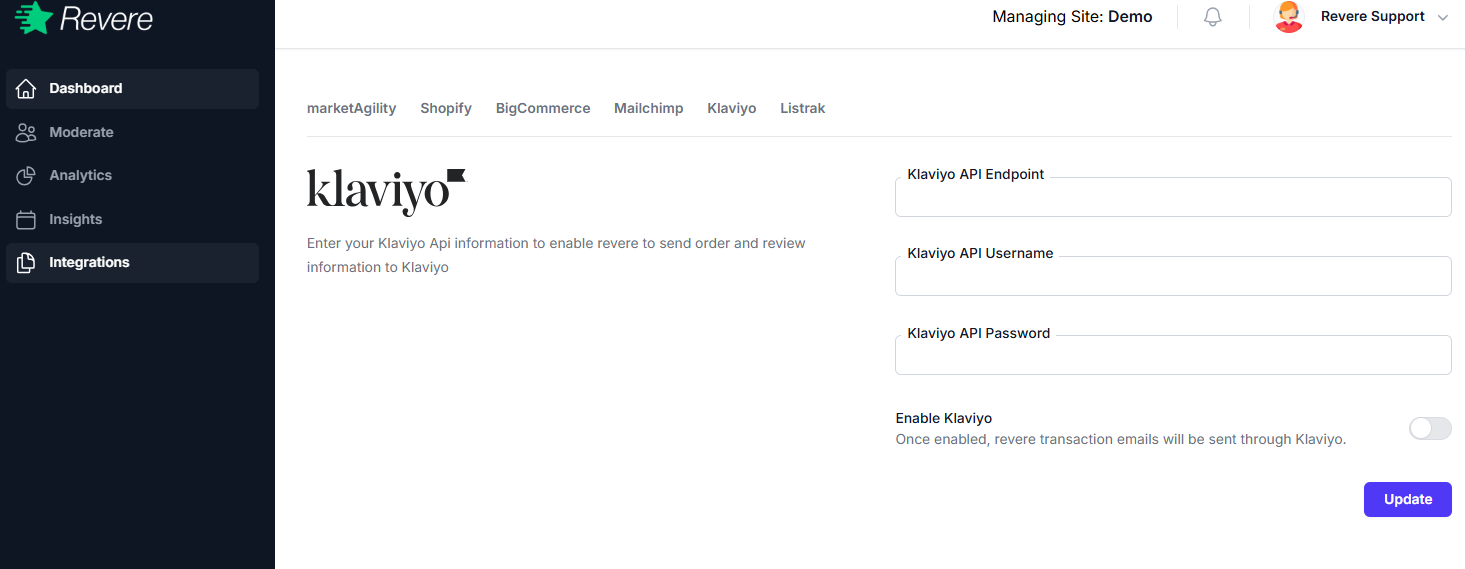
Connecting Klaviyo
-
1
Get your Klaviyo Private API Key
In Klaviyo, go to Account → Settings → API Keys and create a new Private API Key. Give it a descriptive name like "Revere Integration".
-
2
Configure Klaviyo in Revere
In Revere, go to Integrations → Klaviyo → Configure and paste your Private API Key.
-
3
Save and verify
Save the configuration. Revere will test the API key and show the connection as Active if successful.
-
4
Build your Klaviyo flow
In Klaviyo, create a Flow triggered by the
Revere Review Requestedevent. Add your review request email template with the review link passed in the event properties.
Events Sent to Klaviyo
Revere Review Requested
Fired when Revere is ready to send a review request for an order
Revere Review Submitted
Fired when a customer completes and submits a review