
Overview
The Shopify integration is the recommended way to connect Revere if you run a Shopify store. Once connected, Revere will receive order notifications from Shopify and can automatically send review request emails to customers after their order is fulfilled.
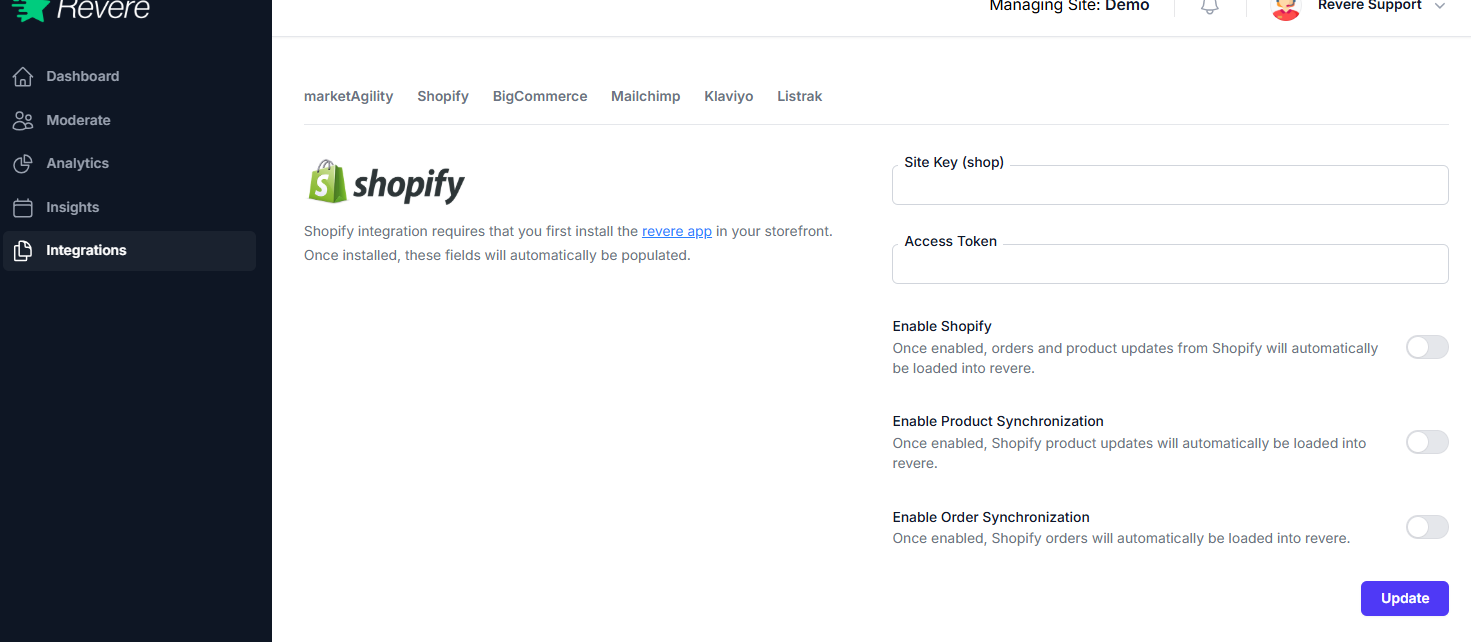
Connecting Shopify
-
1
Open Integrations
In Revere, click Integrations in the left sidebar to open the integrations page.
-
2
Click Configure on the Shopify card
Find the Shopify tile and click Configure below it.
-
3
Enter your Shopify store URL
Enter your store's
.myshopify.comURL — for example,demo-store.myshopify.com. -
4
Authorize the connection
You'll be redirected to Shopify to approve the Revere app permissions. Click Install app to complete the authorization.
-
5
Verify the connection
After authorization, you'll be returned to Revere. The Shopify card should now show Active status in green.
What Gets Synced
Next: Install the Widget
Connecting the Shopify integration handles the data sync. You still need to install the Revere review widget into your Shopify theme so reviews appear on your product pages.
Shopify Installation Guide