
Overview
The Q&A feature lets shoppers ask product questions directly on your product pages. You can moderate these questions and provide answers, which are then displayed publicly alongside the question.
Approving & Rejecting Questions
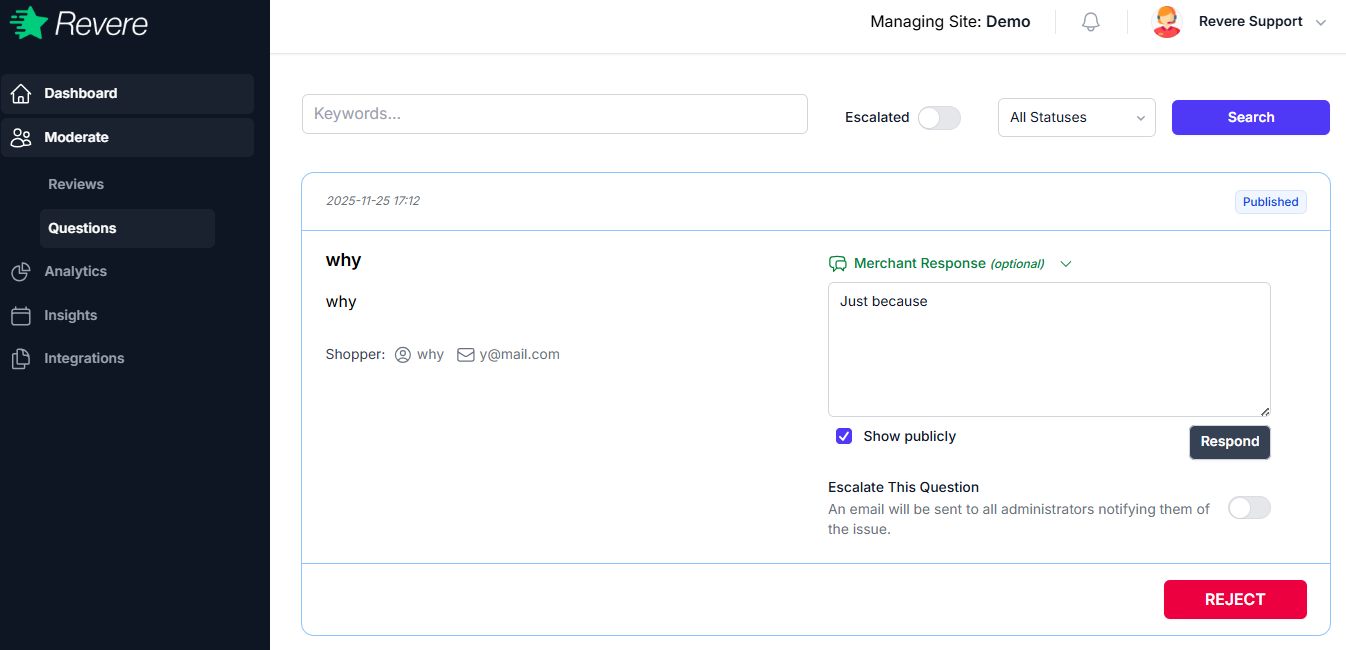
Questions follow the same approve/reject workflow as reviews. A question will not appear on your store until it is approved. To approve a question, click Publish. To remove it, click Reject.
Depending on your Moderation Settings, questions may be set to auto-publish, which means they appear on your store immediately without manual review.
Answering Questions
You can provide an official answer to any question directly from the moderation panel. Your answer will appear below the customer's question on the product page.
Best practice: Answer questions promptly and accurately. A well-answered Q&A section reduces support tickets and increases conversion rates for undecided shoppers.
Best Practices
- Respond to questions within 24–48 hours to meet customer expectations.
- Keep answers concise and focused on the specific question asked.
- Reject questions that are spam, off-topic, or contain inappropriate content.
- If a question reveals a product detail gap, consider updating your product description.