
The Review List
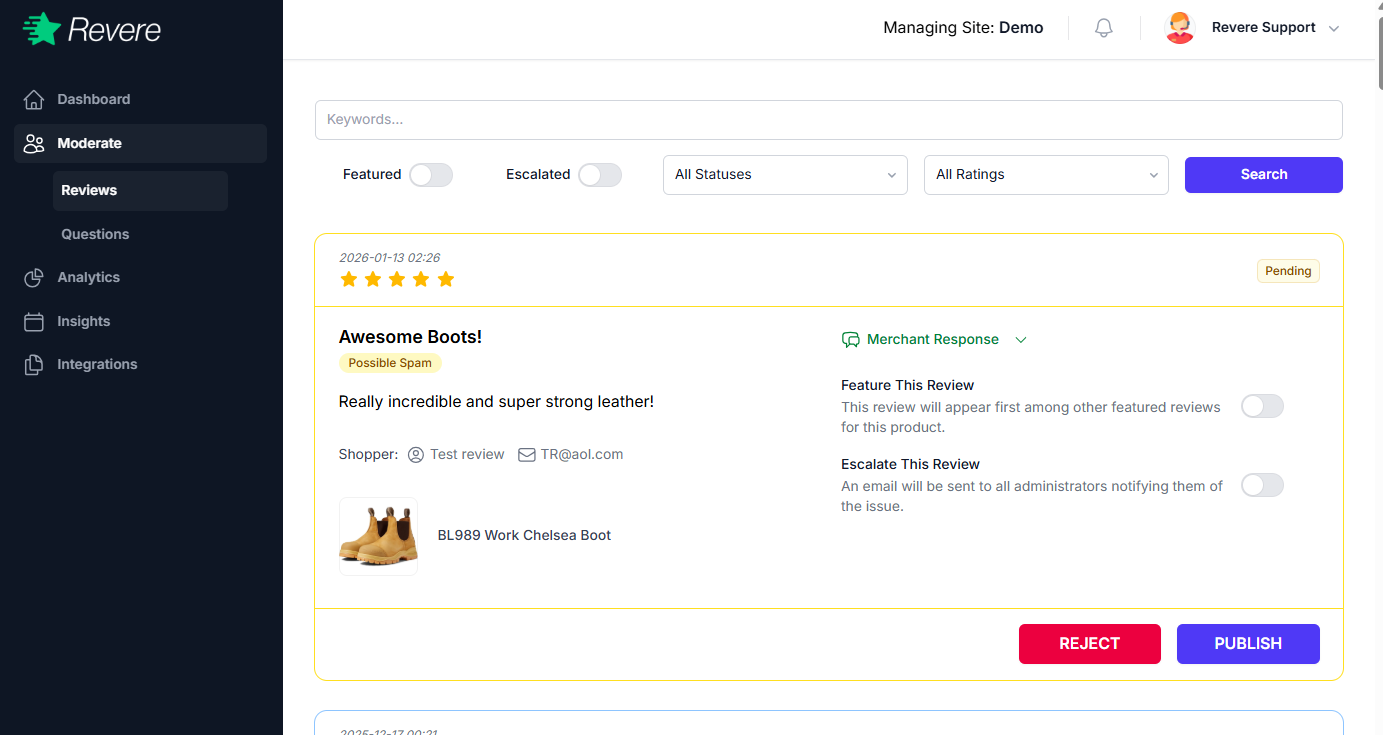
The Reviews screen shows all submitted reviews. Each review card displays the star rating, reviewer name, review text, the product reviewed, and the submission source.
Filtering Reviews
Use the filter tabs at the top of the list to quickly find specific reviews:
Reviews you have manually flagged to be highlighted on your product pages.
Reviews marked for follow-up by your team — useful for tracking complaints or sensitive feedback.
Shows all reviews regardless of their current state (pending, published, rejected).
Filter by star rating — useful for quickly finding 1-star reviews that need attention.
You can also use the Search bar to find reviews by keyword, product name, or reviewer name.
Review Actions
Each review has several actions available in the right panel:
Publish or Reject
The two primary action buttons. Publish makes the review visible on your store. Reject hides it and removes it from the pending queue.
Feature This Review
Toggle on to promote this review to the top of your product page review list. Featured reviews are also eligible for display in widgets and promotional content.
Escalate This Review
Mark the review for follow-up. An email will be sent to all administrators notifying them of the review. Use this for complaints requiring a customer service response.
Merchant Response
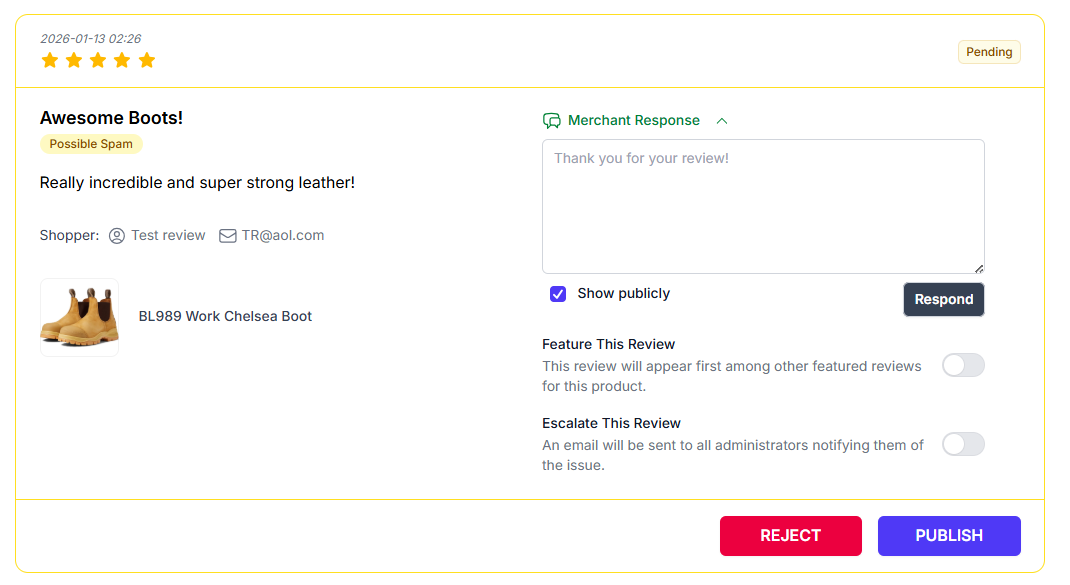
Write a public reply to the review that appears below the customer's content on your store. Responding to reviews — especially negative ones — shows that you value customer feedback.
Writing a Merchant Response
To respond to a review, expand the Merchant Response section in the review panel and type your reply. Your response will appear publicly on the product page alongside the review.
Best practice: Always respond professionally and constructively, even to negative reviews. Prospective customers read both the review and your response — a thoughtful reply demonstrates excellent customer service.