
Overview
Review request emails are the primary driver of new reviews. Getting the timing and content right has a significant impact on how many customers complete a review after purchase.
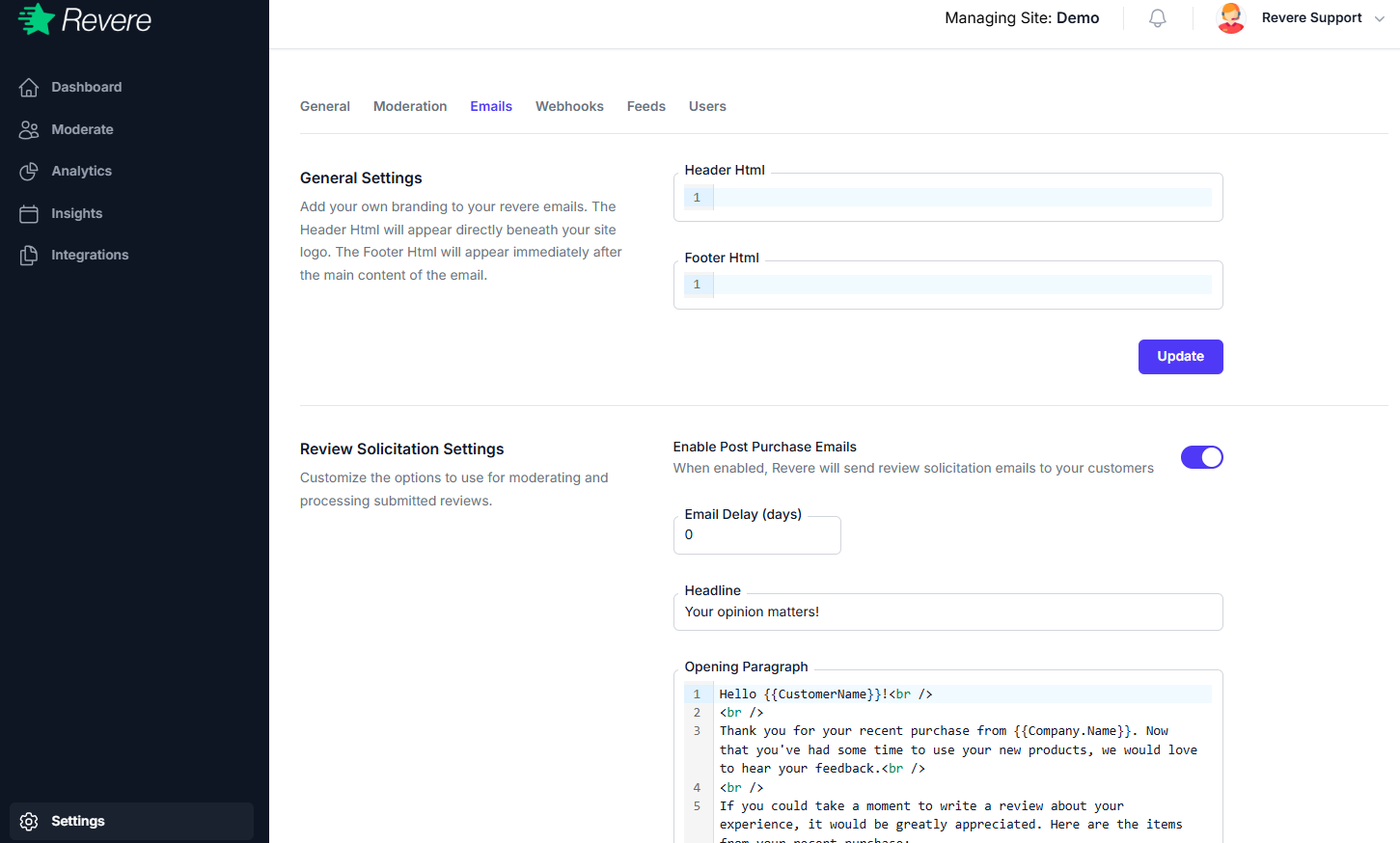
Send Timing
Control how many days after an order is fulfilled before the review request email is sent. Sending too soon (before the customer has received their order) will result in poor response rates.
Best practice: For physical goods, set the delay to 7–14 days after fulfillment — enough time for delivery and for the customer to have used the product. For digital goods, 1–3 days is usually sufficient.
Sender Information
From Name
The name that appears as the sender in the customer's email inbox. Use your store name (e.g. "The Market Team") rather than a person's name for consistency.
Reply-To Email
If a customer replies to the review request email, this is where their reply will be sent. Set this to a monitored inbox, not a no-reply address.
Email Template
The email template controls the visual presentation and copy of your review request emails. Key customizable elements include:
- Subject line
- Header text / greeting
- Body copy (why you're asking for a review)
- Call-to-action button text
- Footer text
If you are using Listrak, Klaviyo, or Mailchimp as your email provider, the template in this section is bypassed. Your email provider's templates are used instead. See the Integrations section for details.
Follow-Up Reminders
You can configure a single follow-up reminder email to be sent to customers who received the initial review request but didn't complete a review. Set the follow-up delay (in days after the first email) and whether it's enabled.
Do not send more than one follow-up reminder. Excessive review request emails frustrate customers and can lead to spam complaints.