
Site Information
The General Settings tab is the first place to configure after setting up your account. It establishes your store's identity in the Revere system.
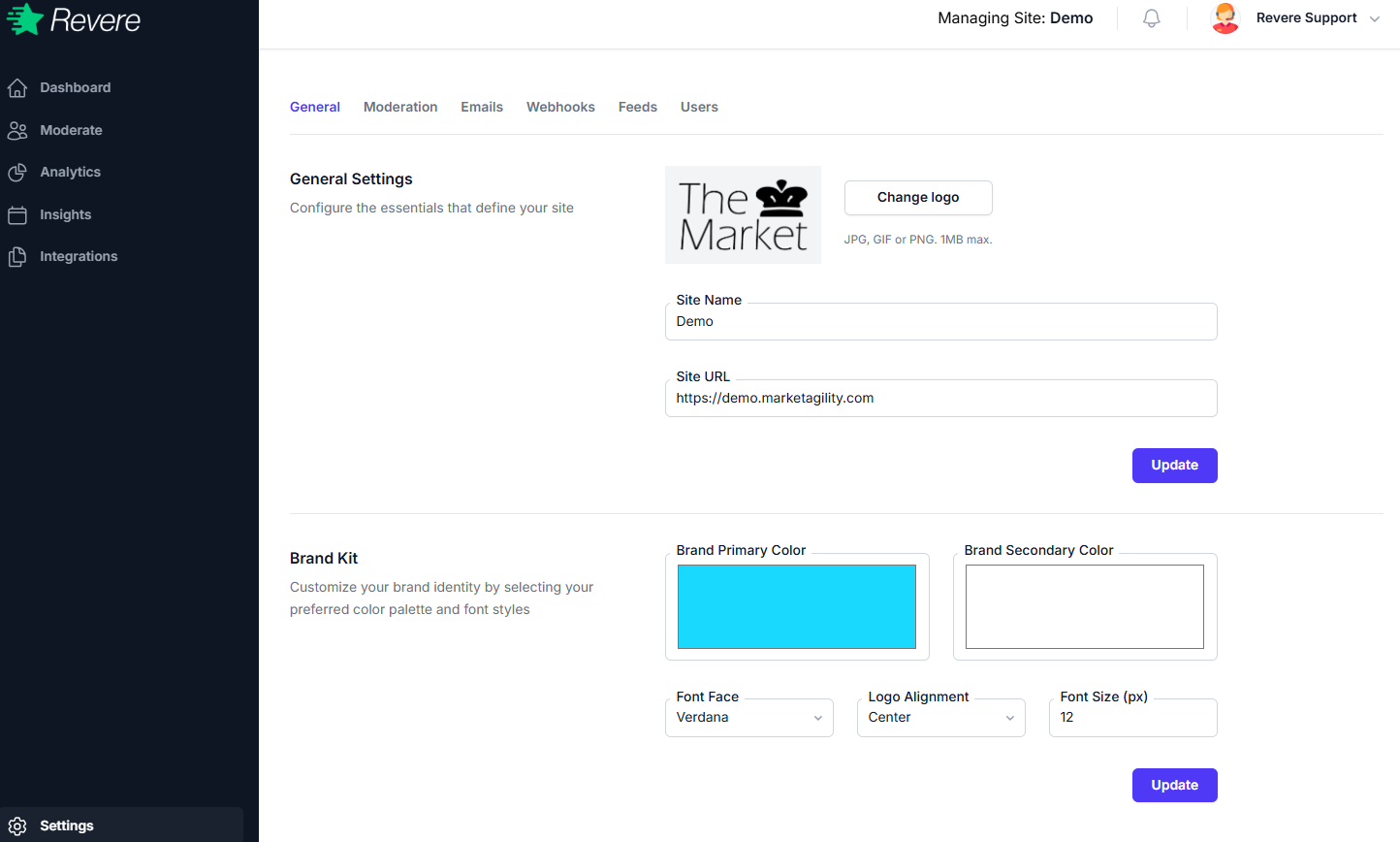
Site Name
The name of your store as it will appear in review request emails and the widget header. Use your actual brand name as customers recognize it.
Site URL
The full URL of your store (e.g. https://www.yourstore.com). This is used to generate product page links in review request emails.
Logo
Upload your store logo (JPG, PNG, SVG — max 300×100px recommended). The logo appears at the top of review request emails and the review submission form. Click Change logo to upload a new file.
After updating any field in the Site Information section, click Update to save your changes.
Brand Kit
The Brand Kit section lets you define the visual style of the Revere widget and emails to match your store's design.
Brand Primary Color
The primary color used for buttons, star ratings, and accent elements in the review widget. Use your store's main brand color (e.g. your call-to-action button color).
Brand Secondary Color
A secondary color for less prominent UI elements. This can be a lighter shade of your primary color or a complementary accent.
Font Face
The typeface used in the review widget. Defaults to Verdana. Choose a font that matches your store's design system.
Logo Alignment
How the logo is aligned within the review submission form header — Left, Center, or Right.
Font Size
The base font size for review widget content. Default is 12px. Adjust if your store's CSS requires a different baseline.
Click Update in the Brand Kit section after making changes. Changes take effect immediately on your store's review widget.