
What Are Webhooks?
A webhook is a way for Revere to send data to your own system automatically when something happens — for example, when a new review is published, or when a review is flagged. Instead of polling the Revere API repeatedly, your server receives a notification the moment the event occurs.
Webhooks are useful for:
- Syncing new reviews to a custom database or CMS
- Triggering Slack or Teams notifications when a review is escalated
- Feeding review data into analytics pipelines or data warehouses
- Triggering automated customer service workflows
Managing Webhooks
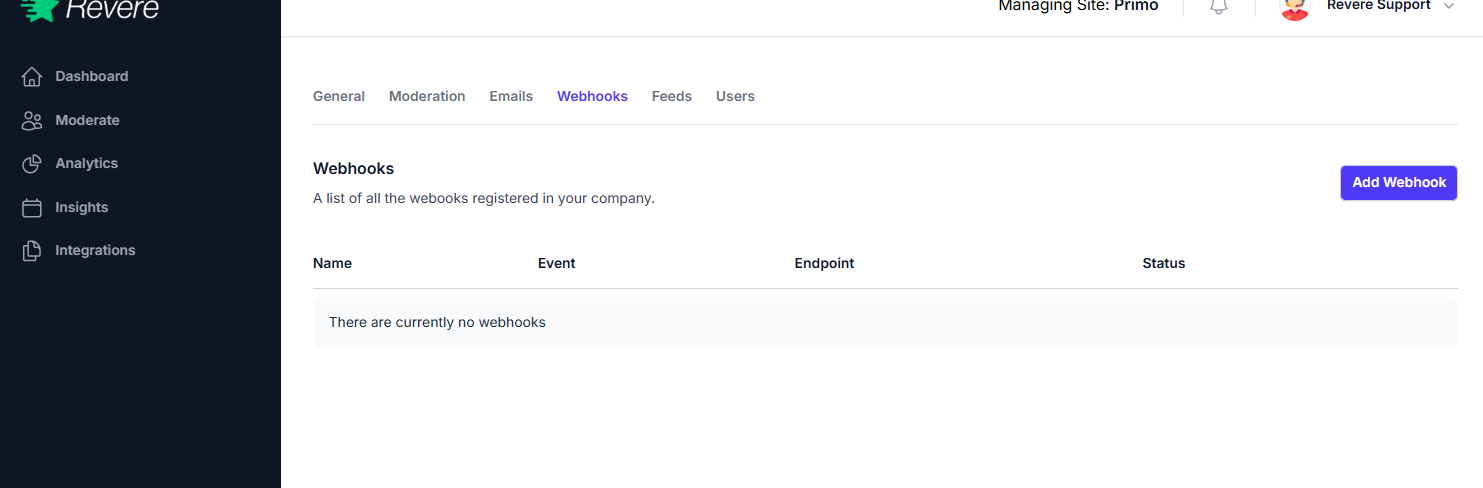
The Webhooks tab lists all currently configured webhook endpoints. Each row shows the target URL, the event types it listens to, and whether it is active.
Adding a Webhook
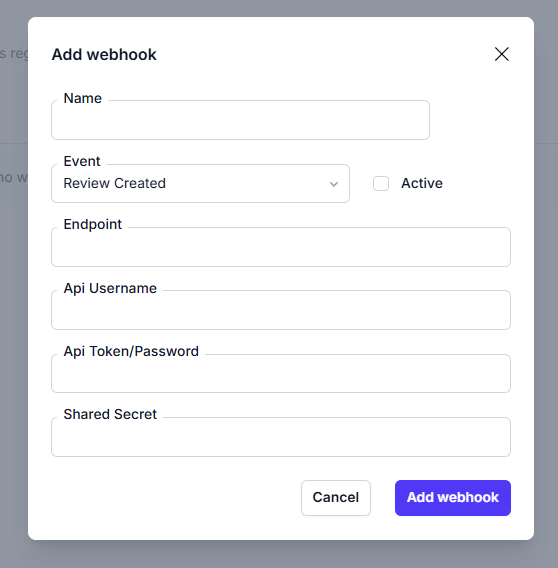
-
1
Click Add Webhook
In the Webhooks tab, click the Add Webhook button in the top right.
-
2
Enter the endpoint URL
Provide the HTTPS URL where Revere should POST the event payload. The URL must be publicly accessible.
-
3
Select event types
Choose which events should trigger this webhook — for example, "Review Published", "Review Escalated", or "Review Rejected".
-
4
Save and test
Save the webhook. Revere will send a test payload to the URL to verify it's reachable and responds with a 200 OK.
Your webhook endpoint must respond with HTTP 200 OK within 10 seconds. If it times out or returns an error, Revere will retry up to 3 times before deactivating the webhook.
Payload Format
Revere sends a JSON payload to your endpoint for each event. The payload contains the event type and a data object with the review details:
{
  "event": "review.published",
  "timestamp": "2026-04-02T14:30:00Z",
  "data": {
    "review_id": "abc123",
    "product_id": "prod_456",
    "rating": 5,
    "title": "Awesome product!",
    "body": "Really incredible quality...",
    "reviewer_name": "Jane S.",
    "submitted_at": "2026-04-01T10:00:00Z"
  }
}